
Key takeaways
- Tie each revision to an observable problem in a specific delivery.
- Separate agreed-behaviour corrections from requests for additional functionality.
- Summarize changes when submitting the next delivery version.
A useful revision request identifies what the reviewer expected, what they observed and what needs another look. Feedback such as not right or improve this rarely gives a developer enough information to act. The goal is a shared description of the issue before another delivery is produced.
This article covers the conversation between a software studio and its client after a stage submission. A fictional reviewer queue provides the examples. The suggested wording is a working method for the team, not a claim that every distinction is automatically classified by the application.
Ask for observable feedback
Start with the path the reviewer followed. Record the screen, the role used and the action taken. If the issue concerns a particular sample record, identify the safe sample reference. These details help the developer reproduce the same situation instead of guessing from a cropped image.
Next, separate the expected result from the actual result. The reviewer expected the return comment to appear beside the request, but found it only in a separate history panel. That is a clearer starting point than saying the review feature is confusing.
Include evidence without overwhelming the request
Attach or reference evidence that shows the specific problem. A screenshot can highlight a missing message; a short sequence of written steps can explain a navigation issue. Remove unrelated observations so the developer can see which decision this request is asking them to revisit.
Do not use urgency as a substitute for description. A message marked critical still needs a concrete account of the behaviour. Explain the operational effect: the reviewer cannot distinguish a returned request from one awaiting approval. That context helps the team choose an appropriate response.
Compare the feedback with the accepted scope
Read the relevant acceptance criterion alongside the feedback. If the stage promised a visible return comment and no comment appears, the request is a correction to agreed behaviour. The developer should address that gap before presenting the same criterion as satisfied.
If the client now wants comments sent to an additional external system, that may introduce a new requirement. Discuss the dependency, permissions and effort separately. Treating every new idea as a defect obscures the agreed scope and makes future estimates less useful.
Resolve ambiguous wording together
Sometimes the original criterion is too broad to settle the question. Both parties may reasonably interpret a phrase such as accessible feedback differently. Clarify the desired behaviour and document the shared interpretation rather than spending the conversation trying to prove that one interpretation was obvious.
Use the clarification to improve later stage descriptions. If the same ambiguity could affect notifications, reports or handover, address it before those stages are delivered. A revision is also evidence about the quality of the plan, not just the quality of the implementation.
Group related corrections into a coherent revision
Avoid sending a separate submission for every small comment unless the work genuinely needs separate review. A grouped response can explain the corrections to a single workflow and let the client review them together. Keep unrelated new requests out of that package so its scope remains readable.
For the fictional reviewer queue, one revision might cover the returned status label, comment visibility and a clearer link back to the request. Those changes share a purpose: helping the requester understand what to correct. A new management dashboard belongs to a different discussion.
Create a short response for each agreed issue. State the change made and the location where it can be reviewed. If an issue remains unresolved, say why and what decision is needed. Silence should not be interpreted as either acceptance or completion.
Preserve versions instead of rewriting the past
Stageflow records versioned deliveries and the employer's review decision. When a revision is requested, work returns to the administrator for correction. A subsequent submission becomes a new version, allowing the reviewer to understand which package is now being offered for acceptance.
The new summary should describe the differences from the previous delivery. A sentence such as version two moves the return comment into the request detail view is more useful than repeating the original feature list. It gives the reviewer a focused starting point for the next review.
Keep older context intelligible
Do not remove the reasoning for an earlier decision merely because the latest version looks better. A later handover conversation may need to explain why a label changed or why a feature remained outside scope. A readable history supports that explanation without requiring somebody to remember a call.
For filenames, use a consistent version or date where it helps distinguish evidence. Avoid several attachments all called final. The name should help the client locate the package referenced by the discussion, especially when an earlier file remains available for comparison.
Keep revision and payment states separate
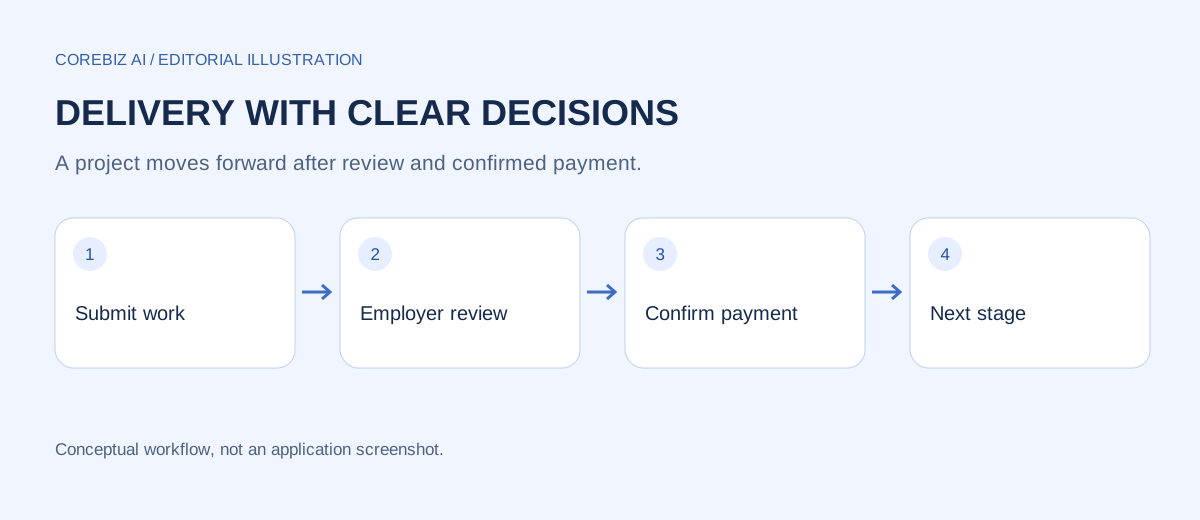
In the approval-first Stageflow flow, a stage under client review is awaiting a delivery decision. A revision request sends it back for work. Stage payment becomes available only after the employer approves the relevant delivery, so an unresolved revision should not be disguised as a payable completion.
After approval, payment still requires confirmation. Do not interpret a new payment submission as an opportunity to alter the already accepted delivery silently. If a new issue arises after approval, describe it clearly and agree how it will be handled through the available project process.
The distinction is especially important during demonstrations. Use separate administrator and employer sessions so each action has the intended identity. The administrator's ability to submit work and the employer's ability to approve it are different responsibilities, even when one person is testing both roles.
Set a review routine people can follow
Agree when feedback will be collected and who consolidates it. A single responsible reviewer can gather comments from colleagues before making the employer decision. This is a team practice; do not assume the workspace automatically arbitrates conflicting opinions from every stakeholder.
Ask reviewers to identify blocking issues separately from preferences. A missing required field may prevent normal use, while a preferred label might be a smaller refinement. The team still needs to decide how to handle both, but it should not treat them as identical without discussion.
When comments conflict, return to the user task and acceptance criteria. One stakeholder may want fewer fields while another needs additional information. Explain the tradeoff and record the chosen behaviour, rather than asking the developer to implement both incompatible instructions.
Use a compact fictional example
An employer reviews a request form and notices that a returned request cannot be edited. The agreed scope says the requester can correct and resubmit it. The feedback names the sample request, describes the blocked edit action and links the expectation to the original criterion.
The administrator fixes the editable state and submits version two with a focused explanation. The employer repeats the same steps, confirms the correction and approves the delivery. Stage payment then becomes available. The sequence remains understandable because every action refers to the same observable problem.
Frequently asked questions
Does every comment require rejection?
No. A reviewer may have a question that can be answered without changing the delivery. Clarify the question before choosing the decision. When a required correction prevents acceptance, use the revision process and explain the specific gap rather than approving with an unclear expectation of later work.
Can a new idea be saved for a later stage?
Yes, if both parties agree where it belongs and how it affects the plan. Do not silently insert it into a published stage or assume that a later milestone has unlimited scope. Record the request and discuss the supported way to plan the additional work.
How much detail should a revision contain?
Enough to reproduce the observation and understand the expected behaviour. The ideal length varies with the issue. A concise, concrete example is usually more useful than a long list of adjectives, and supporting evidence should address the actual question being reviewed.
Conclusion
Treat revision requests as structured feedback on a specific delivery. Clarify the expected behaviour, separate new scope and explain the changes in the next version. This keeps the conversation useful while preserving a record that the client and developer can understand later.
Explore the project and implementation options
The Stageflow project page explains the available workspace and its access requirements. Use it to compare the process described here with the current application. The automation service page is a starting point for discussing additional workflow requirements; this article does not imply those customizations are already implemented.
Prepared with AI assistance and checked against the project source. Examples are fictional process illustrations, not customer results. GeM Flow is an independent internal workspace, not an official GeM service.
Discuss a focused implementation
Explore the service scope and share the process you want to improve.
Explore this service