
Key takeaways
- Write the next action as something a colleague can complete without guessing.
- Separate internal reminders from permission to contact a customer.
- Use automation to create accountable tasks rather than multiplying notifications.
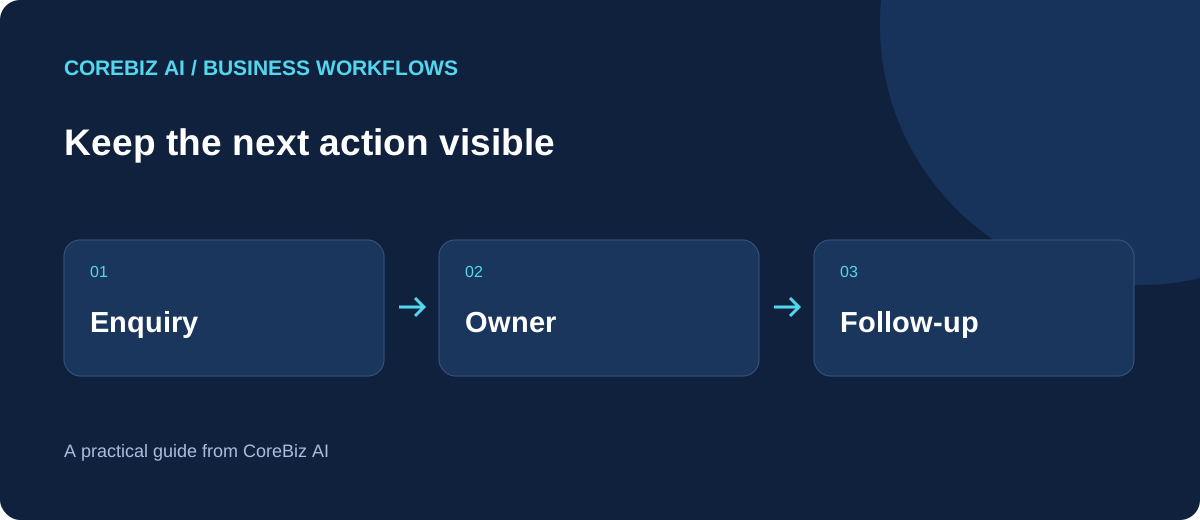
A useful follow-up routine gives each open customer conversation a next step, a responsible person and a realistic date. That sounds modest, but it prevents the common situation where a customer waits while several colleagues each believe somebody else will reply.
The challenge is not usually a shortage of reminders. Small teams already receive messages, calendar alerts and informal requests throughout the day. The routine needs to make the important work easier to recognise without turning every saved contact into another notification.
Describe the action before choosing the reminder
Consider a fictional IT consultancy preparing a website maintenance proposal. A task called follow up does not tell the colleague what information to send or what response is needed. Ask the customer to confirm the number of managed sites is a more useful instruction.
The task should carry enough context to act, with a link to the opportunity or customer record. Do not copy an entire message thread into the title. Keep the instruction short and preserve the supporting discussion where the person can read it when necessary.
A due date should reflect the actual business situation. If a buyer says their approval meeting is next Thursday, a reminder every morning until then adds little value. Set the next action around the expected decision and adjust it when the customer supplies new information.
Give waiting work a condition
Some tasks cannot progress until another event happens. State the dependency clearly: waiting for the customer to provide brand assets, waiting for a colleague to confirm availability or waiting for the revised quotation to be approved. Then define when somebody should review that dependency again.
Do not confuse waiting with forgetting. A scheduled review date can keep a dependency visible without implying that the customer must be contacted immediately. This distinction makes the task list more considerate and prevents unnecessary outbound messages.
Connect the workflow to a real workspace
The CoreBiz IT Services & CRM project shows how contacts, opportunities, quotations and follow-up tasks can sit in one workspace. Explore its project details to compare the available features with the process described here; the fictional examples in this article are not customer results.
Assign one accountable owner
A shared workspace does not remove individual responsibility. Give the next action to a named person, even when several colleagues participate in the work. Other people can contribute, but someone needs to decide whether the task is finished or requires another step.
When handing over an account, review the open tasks together. Explain any promises, pending questions and sensitive context. A simple ownership change without that conversation can leave the new colleague interpreting a due date that no longer matches the customer relationship.
For leave or absence, agree a backup arrangement before urgent work accumulates. The owner may remain responsible for the relationship while another person handles a specific action. Write down that temporary handoff rather than assuming that access to the same dashboard provides enough direction.
Start with a manageable daily view
At the beginning of the day, review overdue work and tasks due today. Then identify the few actions that depend on other people or could affect delivery. This makes the list a planning tool rather than a retrospective record of everything the team hoped to finish.
Distinguish urgency from value. A large potential deal is not automatically the most urgent task if a smaller customer is waiting for information needed to meet an agreed deadline. Use the customer commitment and operational consequence to decide what needs attention first.
When the list repeatedly exceeds capacity, change the plan. Moving every due date forward by one day hides a workload problem. Discuss which tasks can be delegated, deferred or closed and whether the business is promising a response time it cannot consistently provide.
Finish with an outcome
Completing a follow-up should record what happened. The customer answered the question, requested a revised date, declined the proposal or did not reply. A short outcome helps the next person understand why the conversation moved, rather than seeing only a completed checkbox.
Create the next task only when there is a reasonable next action. Repeatedly scheduling another identical reminder can preserve the appearance of activity without moving the decision forward. A conversation may need a different channel, a better question or a respectful pause.
Use automation for repeatable handoffs
A stage-based rule can be useful when entering a particular pipeline stage always requires a specific internal action. For instance, a proposal might need a review task. Confirm that the deployed rule runs under the conditions you expect before treating it as a complete workflow engine.
Keep the first rule narrow and name it clearly. The team should be able to explain what triggers it, which record receives the task and who resolves exceptions. Do not create several overlapping rules merely because each one sounds helpful in isolation.
Automation should not silently authorise customer communication. Creating an internal task is different from sending an email or an approved WhatsApp template. Provider configuration, recipient preferences and an explicit sending decision remain separate considerations in the customer relationship.
Keep AI drafts within the agreed facts
An AI writing tool may help turn a rough note into a concise follow-up message when the provider is configured. Give it the actual question and the relevant commercial context. Avoid including unnecessary customer information or confidential material simply because the input box allows it.
Before using the draft, check dates, prices and commitments against the record. A polite sentence can still contain an unsupported promise. The reviewer should be especially alert to invented deadlines, assumed approvals or wording that implies the customer has already agreed to buy.
If AI is unavailable, the workflow should still function. A clear task and a short manually written message can be enough. The quality of the follow-up depends more on understanding the customer's next decision than on how quickly a paragraph is generated.
Frequently asked questions
How often should we contact an unresponsive lead?
There is no universal cadence suitable for every conversation. Use the customer's stated timing, the nature of the request and your agreed communication practices. After a reasonable sequence, a respectful closing message or a pause may be more appropriate than another automatically scheduled reminder.
Should every task have the same priority?
No. If everything is urgent, the label stops helping. Define a small set of practical priority rules, such as an approaching customer deadline or a blocked delivery step. Review those rules when the team repeatedly overrides them to make the daily list manageable.
Can a task list replace a customer conversation?
A task list organises responsibility; it does not resolve uncertainty on its own. When a request is ambiguous, talk to the customer or the responsible colleague. The useful output is a clearer next action, not a longer task description written without the missing information.
Conclusion
Choose several active customer conversations and write their next actions in plain language. Add one owner, one due date and the context needed to act. Compare the resulting list with the reminders your team currently receives and remove duplication where it adds no useful decision.
Only then introduce a narrow automation rule or an optional AI drafting step. A routine people understand and maintain is more dependable than a sophisticated reminder system that nobody trusts enough to use.
- Action: write what the colleague should do, rather than just follow up.
- Context: link the relevant customer or opportunity and preserve the latest discussion.
- Outcome: record the response before deciding whether another task is needed.
Continue with a related workflow
Use the next article when you are ready to work through the adjacent decision. Keep the practical process connected instead of adding another tool without deciding how people will use it.
Prepared with AI assistance. Examples are fictional and illustrate planning decisions, not measured customer results. Review product configuration before relying on provider-dependent features.
Discuss a focused implementation
Explore the service scope and share the process you want to improve.
Explore this service